Social media video editing service for consistent short-form content.
A social media video editing service takes raw footage you've filmed on your phone and turns it into finished Reels, TikToks, LinkedIn videos, and YouTube Shorts optimized for each platform. VX Workflow is a subscription-based social media video editing service that pairs every brief with a senior editor and a quality control review by Hayden Brinkley, our Head of Content, before you see the cut.
This page covers what social media video editing actually involves, how the VX Workflow process works, what separates a service from a freelancer, and who each plan is built for.
Get your first 2 reels freeNo card. No timer. 30 days to decide.
What social media video editing actually involves
Most people assume video editing is about software and effects. For social media content, it's primarily a judgment job.
When you hand a senior editor 90 seconds of raw talking-head footage and ask for a 45-second Reel, they aren't pushing buttons in a template. They're deciding where the hook lives, what gets cut without losing the argument, where the caption placement lands without covering your face, and how the music builds energy without drowning the words. Those are editorial decisions that change how the content performs.
The technical work is significant too. Color grading adjusted for the platform. Caption timing synced to speech. Audio cleaned and leveled. Export settings matched to Instagram's, TikTok's, and YouTube's compression algorithms so the final file doesn't visually degrade after upload. All of this happens before the edit leaves the VX Workflow platform.
For social media content specifically, the structural variables change per platform. An Instagram Reel rewards a hard hook in the first second and tolerates fast cutting. LinkedIn video rewards a slower opening and a more composed presentation. TikTok rewards pattern interrupts and caption-forward delivery. A social media video editing service that understands platform behavior edits differently for each destination, not just resizes the same cut.
Platforms we edit for
VX Workflow handles vertical short-form video across the four platforms where business owners and creators generate the most ROI from talking-head content.
Instagram Reels
Up to 60 seconds, 9:16. Hook-first structure. Captions optimized for muted viewing, which is how most Reels are consumed. Color grade matched to your brand profile. Music from a licensed library.
TikTok
Up to 60 seconds, 9:16. Fast-cut pacing for scroll-stopping retention. Caption style adapted for TikTok's native aesthetic when that's what you want, or your brand style when it isn't.
YouTube Shorts
Up to 60 seconds, 9:16. Slightly different compression target and thumbnail approach versus Reels. Subscribers on YouTube respond to slightly longer hooks, so pacing is adjusted accordingly.
LinkedIn video
Vertical format, 9:16. LinkedIn's algorithm rewards native video uploads over links. The editorial tone runs more composed and authority-forward than Reels. We adapt caption style and pacing to match what performs on the platform.
If you're submitting footage intended for multiple platforms, specify the target platforms in your brief. The editor will optimize the cut for your primary platform, and aspect-ratio variants are available on Growth and Pro.
How the social media video editing process works
Set up your brand profile once
On signup, you complete a brand profile: business description, target audience, preferred music style, color grade preferences, caption font and placement, tone, and anything the editor should avoid. It takes about two minutes.
Every brief you submit after that autofills your brand defaults. The editor working on your content this month starts with the same context the editor last month had.
Submit a brief in under 60 seconds
Open the portal, drop your footage, choose a target length, select the platform, and add any notes specific to this piece. Most briefs take under 60 seconds because the brand defaults fill automatically. The SLA starts from the moment you submit.
A senior editor builds the cut
A senior editor reads your brief, reviews your brand profile, watches the footage, and builds the edit from scratch. No templates. No automated cuts. The editor identifies the best moments in the footage, structures the piece for the target platform, writes captions, selects music, grades color, and exports at the correct spec.
Hayden Brinkley reviews every cut
Before the edit reaches you, Hayden Brinkley watches it. Hayden is our Head of Content with a senior post-production background. If the cut meets the standard, it ships. If it doesn't, it goes back to the editor. This step applies to every edit on every plan, and it's the reason the output quality doesn't vary by which editor happened to be assigned to your brief.
Review in VX Review
The cut lands in your VX Review hub inside the portal. Click any frame to leave a time-stamped comment. Tag a teammate. One-click approve when you're satisfied, one-click request revision if you want a change. The revision log is stored permanently.
Download and post
Approved files land in your project library ready to post. Your whole team can access the library. Files are organized by project and labeled with the platform they were optimized for.
Who this service is for
Business owners who film themselves
You create content on your phone. Talking head reels, expert tips, behind-the-scenes clips. You know what to say but don't have editing software or the time to learn it, and the freelancers you've hired have been inconsistent.
Growth handles this at a fixed monthly cost with no management overhead.
Coaches and consultants
One good filming session should produce a month of content. You sit down, record 10 takes on varied topics, upload them, and brief them across the month.
The editing team turns that session into a steady content calendar without requiring you to film every week.
Brand managers running multiple accounts
You manage social presence across Instagram, TikTok, and LinkedIn for the same brand. Each platform needs a slightly different edit.
Growth and Pro include multiple revision rounds and multi-platform variants from a single brief, which removes the back-and-forth that slows content calendars down.
Agencies managing client content
You're running social media content for multiple clients and need an editing resource that scales without adding headcount. The Pro plan includes a dedicated senior editor, five team seats, and per-client workspaces. One flat monthly subscription. No per-edit invoicing across accounts.
What you get that a freelance social media video editor can't provide
The comparison most business owners land on when researching social media video editing services is against hiring a freelance editor. The structural differences matter.
A freelance social media video editor is one person. When their workload spikes, your content moves to the back of the queue. When they have a bad week, the edit shows it. When they leave for a full-time role, you start the hiring process over. There's no one above them checking the work before it reaches you.
VX Workflow is structured differently. Hayden Brinkley applies a fixed quality standard to every cut before delivery. The standard doesn't change based on who was assigned to your brief or what else is on their plate. The brand profile your editor uses this month is the same one every editor uses going forward, so context doesn't reset when one person is unavailable.
The turnaround times are also different in kind, not just degree. A freelancer's turnaround is an estimate. The VX Workflow SLA is enforced by the platform from the moment you submit: three days on Growth, 48 hours on Pro. These aren't targets. They're the times the platform tracks.
The cost math works out favorably too. A freelance social media video editor in the US market charges $150 to $350 per edit. Growth delivers eight senior-edited social media videos per month at a fixed subscription rate with the QC layer built in and no hiring overhead.
Pricing for social media video editing
Free forever: two senior-edited videos on signup. No card required. Brief your first reel, upload footage, review in your portal, and download. No time limit on the free edits.
- 2 senior-edited reels on signup
- 30 AI briefs / month
- Up to 3 active projects
- 1 seat · 5GB storage
- No card required
- 8 senior-edited videos / month
- 3-day turnaround
- 2 revision rounds per edit
- 3 seats · 50GB storage
- Quarterly strategy review
- 20 senior-edited videos / month
- 48-hour turnaround
- Dedicated senior editor
- 5 seats · 150GB storage
- Monthly Filming Brief from Jakob Quinn
- Monthly 1-on-1 strategy call
How social media video editing fits into a broader content strategy
Most business owners treat editing as the last step. A senior social media video editor can inform the earlier steps too, which changes how efficiently you produce content.
The Pro plan includes a monthly Filming Brief from Jakob Quinn. Before you film anything, you get a document covering what topics to shoot, what format patterns are performing in your industry, how to deliver footage that edits cleanly, and what to avoid. You show up to a filming session knowing what you're making and why. The footage you hand off gives the editor more to work with.
The brand profile system has a similar effect. Once your preferred caption style, music tone, color grade, and platform targets are locked, briefing a new reel is a matter of uploading the clip and noting what's specific to this video. The editor already has the context.
If you're planning your content around specific campaign moments, product launches, or seasonal pushes, the three-day Growth turnaround and 48-hour Pro turnaround give you enough lead time to respond to what's happening without scrambling. A same-day rush option on Pro covers genuine deadline emergencies.
The team behind every edit
VX Workflow was built by Unreal Media, a video production agency with six years of operation and over $30 million in attributed client revenue across brands including Rhinomax, Fitness Cartel (three years across eleven locations), Brisbane Roar FC, Narellan Pools, and Resvita.
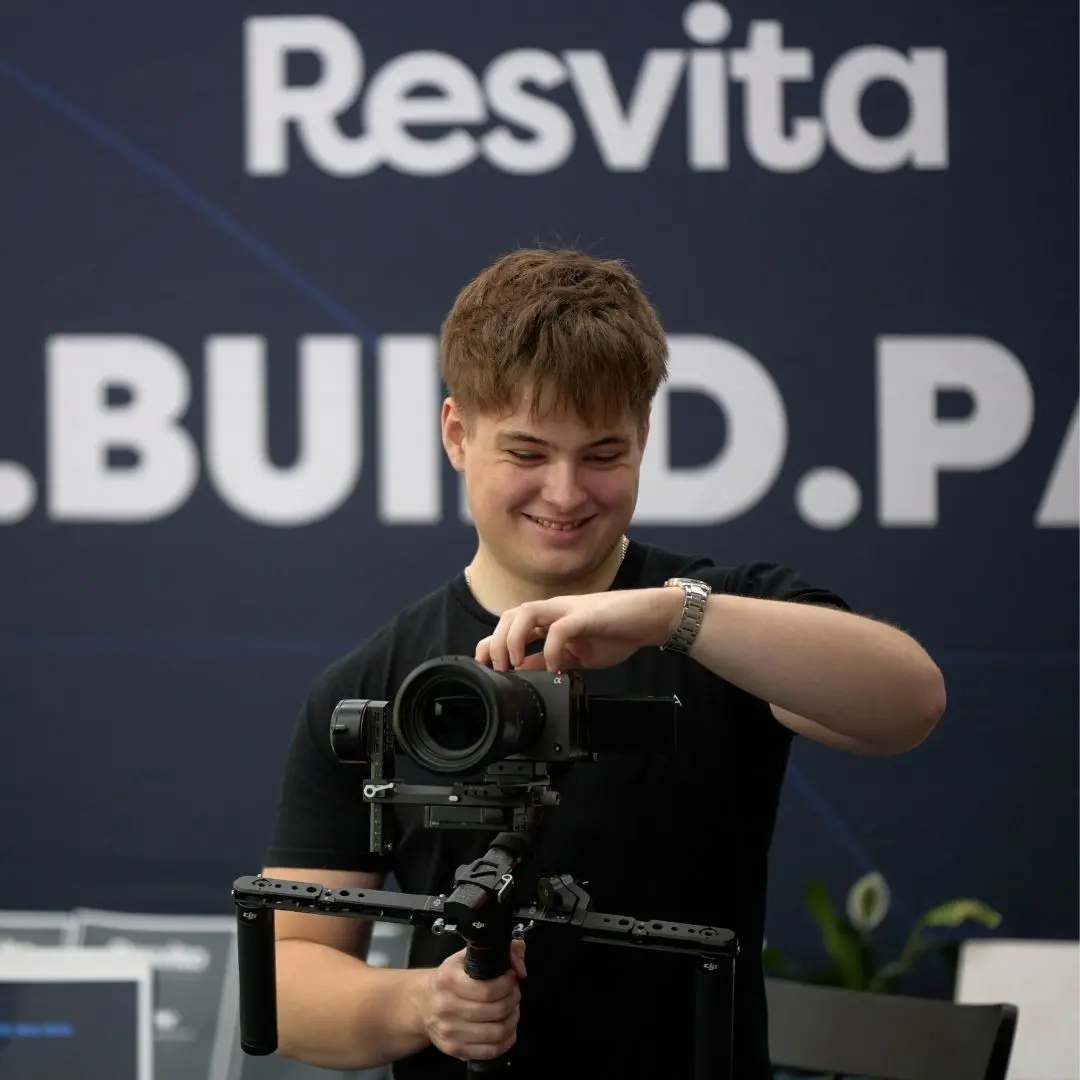
Hayden Brinkley
Senior post-production background across short-form and long-form content. Every edit produced by the VX Workflow team passes through Hayden before it reaches a client. Not a sample, not a spot-check. Every edit, every time.
LinkedIn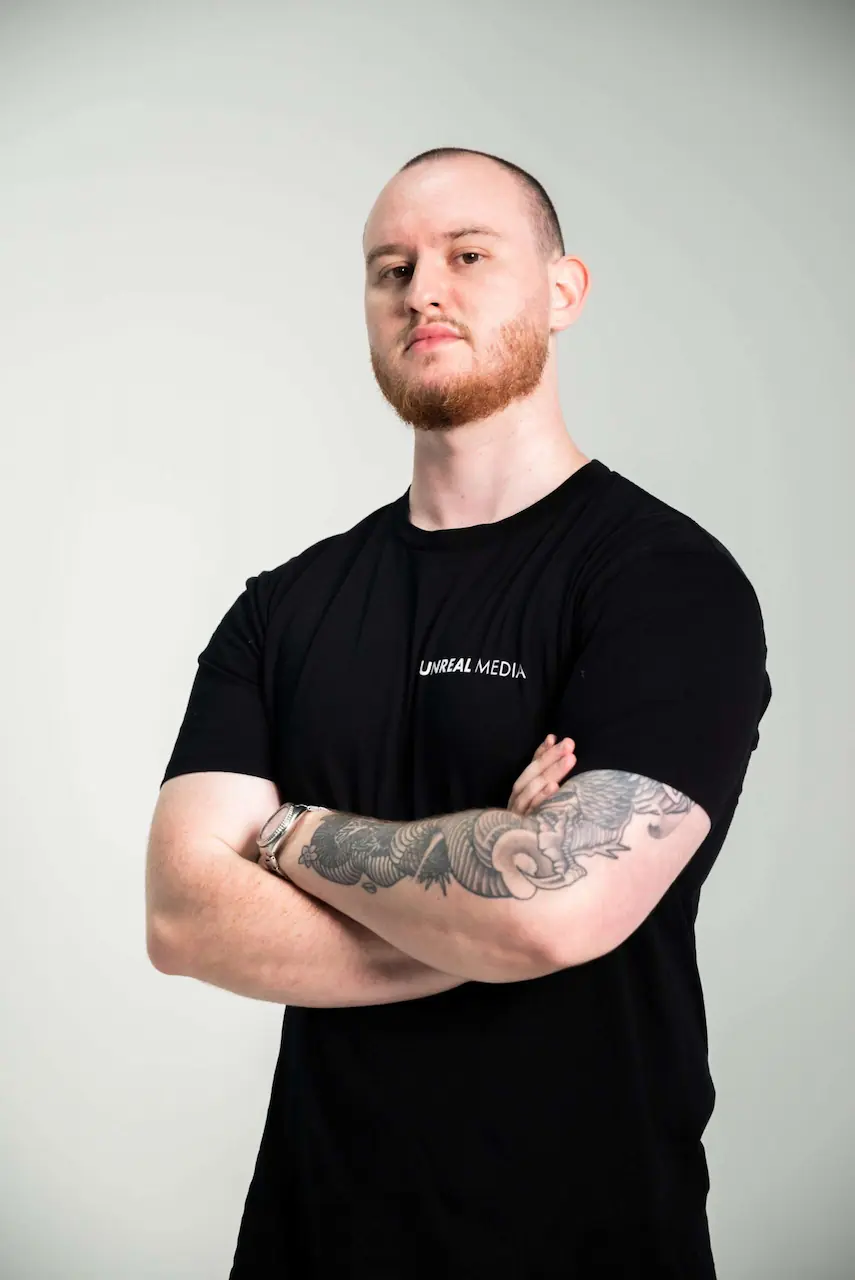
Jakob Quinn
Founded Unreal Media six years ago and built the VX Workflow platform as the subscription layer on top of the production team's existing short-form capabilities. Writes the monthly Filming Brief for Pro clients and runs strategy calls.
The editing team is a vetted bench of senior editors distributed internationally and working across time zones. Every cut is reviewed by Hayden before delivery regardless of which editor produced it. Read more about the team →
Frequently asked questions
A social media video editing service takes raw footage and turns it into finished videos for platforms like Instagram, TikTok, LinkedIn, and YouTube Shorts. It covers structural editing, captions, color grading, music, and platform-specific export settings. A subscription-based service like VX Workflow handles this on a recurring basis with a fixed team, fixed turnarounds, and a quality control layer.
Freelance social media video editors charge $150 to $350 per edit. VX Workflow offers a free plan that delivers two senior-edited videos on signup plus 30 AI briefs a month with no card required. Paid plans give you more monthly edits, faster turnarounds, and additional seats. See the pricing page for current plan details.
Turnaround times on VX Workflow are enforced by the platform: three days on Growth, 48 hours on Pro. The first two trial edits on the free plan are delivered within 48 hours.
You film the footage and we cut it. VX Workflow handles editing only. If you need a full production service that includes filming and direction, that's an Unreal Media project.
Yes. On Growth and Pro, you can request platform variants from a single piece of footage. Specify the target platforms in your brief. The editor optimizes the primary cut for your main platform and produces variants for the others. Timing, caption style, and pacing are adjusted per platform.
Start with the free plan. Two senior-edited videos at no cost, plus 30 AI briefs a month, gives you a feel for the quality and the workflow. When you're posting consistently, Growth covers eight edits a month with a three-day turnaround and room to scale. There's no contract and no minimum commitment on paid plans.
Yes. LinkedIn native video in 9:16 vertical format is one of the four platforms we edit for. The editorial style for LinkedIn content runs slightly more composed and authority-forward than Reels or TikTok, and the editor will adjust pacing and caption approach accordingly. Specify LinkedIn as the target platform in your brief.
Beyond the technical work (sync, color, music, export), a senior social media video editor makes structural decisions: finding the strongest hook in the footage, cutting for retention without losing the argument, placing captions so they don't obscure the speaker's face, choosing music that builds without competing with the speaking, and timing the cut to the platform's consumption behavior. These are the judgment calls that separate a cut that holds attention from one that doesn't.
Start with 2 free social media video edits.
No card. No timer. Brief your first social media video, upload your footage, and see the quality before you pay anything.
Get your first 2 edits freeNo card. No timer. 30 days to decide.